Notion Trading Journal Template (And Why Traders Outgrow It)

A Notion trading journal works best as three linked databases rather than one table: Trades, Setups and Weekly Reviews, joined by relation properties. Each setup page can then show its written rules beside its aggregate performance. A spreadsheet can calculate that aggregate with formulas or a pivot table, but the rules and the numbers usually live apart.
Why Notion, and why not
Most Notion trading journal templates are a spreadsheet in the wrong application. One database, twelve columns, no relations. That version is strictly worse than Google Sheets: slower to fill in, weaker at arithmetic, and harder to filter.
Notion earns its place only when you use the thing it has that spreadsheets do not, which is relations. A trade can be linked to a setup, and that setup page can then show every trade that used it, with aggregate performance, automatically. Your written thinking about a strategy and the measured results of that strategy end up on the same page.
For a trader who reviews by reading rather than by pivoting, that is genuinely better. For a trader who wants to answer “expectancy on breakouts in London on EUR/USD,” it is genuinely worse. Both things are true, and which matters more depends on how you work.
The three-database structure
This is the design, and it is what makes a Notion journal worth building. The trade log uses the same twelve-column set as the Sheets template, mapped to Notion property types.
Database 1: Trades
One entry per trade.
| Property | Notion type | Notes |
|---|---|---|
| Date and time | Date (with time enabled) | Time must be on, or session analysis is impossible. |
| Instrument | Select | Fixed options, never plain text. |
| Direction | Select | Long / Short. |
| Session | Select | Asia / London / New York / Overlap. |
| Setup | Relation to Setups | The key property. Not a Select. |
| Entry, Stop, Target, Exit | Number | Four separate properties. |
| Position size | Number | Records size. The R formula below does not use it. |
| R-multiple | Formula | Calculated, never typed. Formula below. |
| Notes | Page body | The trade is a page, so notes and screenshots can live inside it. |
| Week | Relation to Weekly Reviews | Links the trade to its review. |
The R-multiple formula leaves a row blank when entry, stop or exit is missing, when direction is not Long or Short, when risk is zero, or when the initial stop is on the wrong side of the entry. A valid long needs the stop below the entry. A valid short needs it above.
if(
  or(
    empty(prop("Exit")),
    empty(prop("Entry")),
    empty(prop("Stop")),
    and(prop("Direction") == "Long", prop("Stop") >= prop("Entry")),
    and(prop("Direction") == "Short", prop("Stop") <= prop("Entry")),
    and(prop("Direction") != "Long", prop("Direction") != "Short")
  ),
  toNumber(""),
  if(
    prop("Direction") == "Long",
    (prop("Exit") - prop("Entry")) / (prop("Entry") - prop("Stop")),
    (prop("Entry") - prop("Exit")) / (prop("Stop") - prop("Entry"))
  )
)
Paste that into the R-multiple formula property. Blank and invalid rows stay empty so they do not distort the expectancy rollup. This price-based calculation excludes spreads, commission, slippage and financing, and it assumes one entry, one exit and unchanged position size.
Database 2: Setups
One entry per strategy, and this is where the structure pays off. Each setup page holds your written rules, and rollup properties pull the performance of every trade linked to it.
| Property | Notion type | What it shows |
|---|---|---|
| Name | Title | For example, “Liquidity sweep, Asia high”. |
| Trades | Relation from Trades | Fills as you tag trades. |
| Trade count | Rollup, Count | Sample size. A setup under 30 trades is too small to judge. |
| Expectancy (R) | Rollup of R-multiple, Average | The number that matters for the recorded sample. |
| Best / Worst | Rollup, Max / Min | Spots trades worse than −1R. |
| Rules | Page body | Context, level, trigger and confirmation written out. |
| Status | Select | Testing / Active / Retired. |
The result is a page per strategy showing the written rules and the measured expectancy side by side. That is the single best thing a Notion journal does. Google Sheets and Excel can calculate the same aggregate with formulas or pivot tables, and both can hold embedded images, but they do not put the written strategy and its result on one page the way a relation does.
Database 3: Weekly Reviews
One entry per week. Relation back to Trades, rollups for that week's count and expectancy, and a page body for what you will change. This turns the journal into a trend rather than a pile.
Building it in six steps
- Duplicate the template from the free Notion trading journal template into your own workspace. Everything below is already configured; these steps explain what you are looking at.
- Open Setups and replace the examples with your own strategies. Write the context, level, trigger and confirmation into each page body. Keep it to five setups or fewer.
- Log one long trade and one short trade in Trades, and confirm the R-multiple formula returns what you expect. A clean stop-out should read −1.00. A stop on the wrong side, a blank input, or a stop equal to the entry should stay blank.
- Link each trade to its Setup using the relation property. This is the step that makes the rollups work, and skipping it makes the whole structure pointless.
- Drop screenshots into the trade page body. They can live inside the record rather than in a folder somewhere else. Sheets and Excel can embed images too; Notion's advantage is the room around the numbers.
- Create this week's Weekly Review entry and link your trades to it as you log them.
Where Notion stops working
This is the section most Notion template pages leave out, and it is the reason the title of this one says what it says.
Two-dimensional analysis is painful. A rollup gives you one aggregate per relation. “Expectancy on breakouts during London on EUR/USD only” needs three simultaneous filters, and Notion has no pivot table. You can build filtered views, one per question, and after a dozen questions you have a dozen views to maintain. This is the friction that eventually pushes people out.
It gets slow. A database of several hundred entries with multiple rollups and formulas becomes noticeably sluggish, particularly on mobile right after a session when you actually want to log.
Arithmetic is awkward. Notion formulas are functional and verbose. The R-multiple formula above is a single calculation and it is already a mouthful. Anything more involved becomes difficult to write and harder to debug.
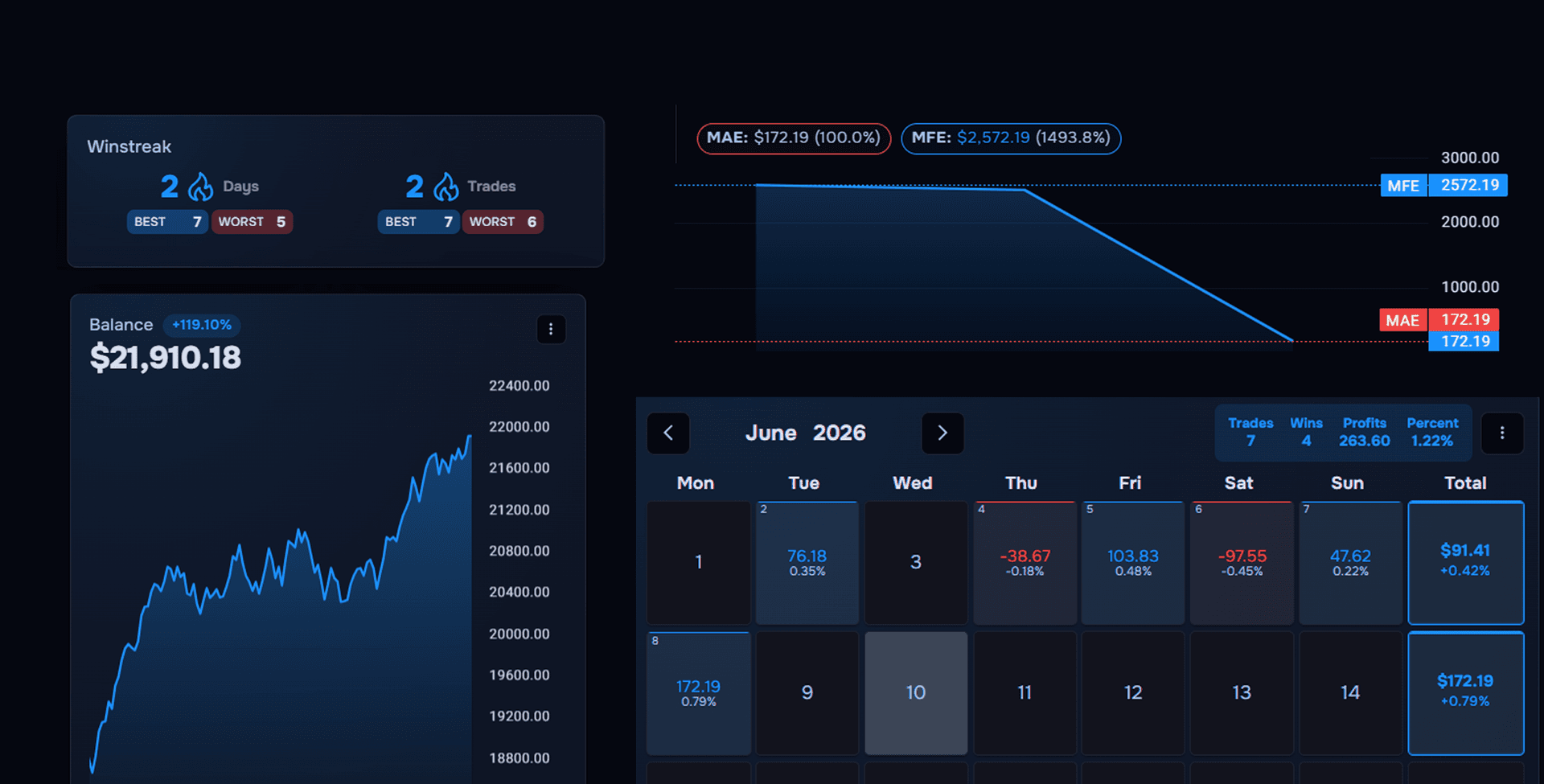
This template cannot calculate MAE or MFE. Maximum Adverse Excursion and Maximum Favourable Excursion need the price path while the trade was open. Entry and exit prices alone are not enough. Tick-by-tick data is not always required, but this template does not store any prices between the entry and the exit, so no formula in it can produce those two metrics. They are the numbers that show whether stops are wrong and whether winners are being cut early.
There is no native broker sync. You can still import a CSV or use a third-party integration, but Notion will not pull each fill from a broker account the way a connected journal can. Typing every trade is the default, not the only possible path. Excel can point Power Query at a broker CSV, and Sheets can import or paste one. Neither of those is the same thing as automatic broker sync.
Notion, Sheets or Excel?
| Capability | Notion | Google Sheets | Excel |
|---|---|---|---|
| Notes and screenshots with the trade | Best for long notes. Screenshots can live in the page | Embedded images or links | Embedded images or links |
| Per-strategy performance | Automatic via rollups, on the same page as the rules | Formulas or pivot tables | Formulas or PivotTables |
| Multi-filter analysis | Filtered views. No pivot table | Filters, formulas or pivot tables | Filters, formulas or PivotTables |
| Getting trades in | Manual entry, CSV import or a third-party integration. No native broker sync | Manual entry, paste or CSV import | Manual entry, CSV or Power Query |
| Speed at 500+ trades | Can get slow | Usually fine | Usually fine |
| Cost | Free tier is enough | Free | Licence |
Choose Notion if you review by writing and want your thinking and your numbers in one place. Choose Google Sheets if you review by filtering. A trading journal is the next step when either format starts creating gaps.
Your verification step
Run it for one month, then check two numbers.
- Open each Setup page and read the Expectancy rollup. If a setup has 30 or more trades and the average R is negative, investigate it. Thirty trades are a reason to look, not proof that the strategy should be retired. Check whether the sample is one market, one session, or a run of execution mistakes before you change its Status.
- Count your logged trades against your broker statement. Below 80% and the format is failing you, not your discipline. Notion's per-trade page is lovely and it is also more clicks than a spreadsheet row, which is the trade-off you are making.
Conclusion
Start in Notion. Move when the questions get harder.
Duplicate the Notion trading journal template and start logging today. A journal you keep beats a better journal you abandon.
When you start asking questions this template cannot answer, start free with TraderWaves. The free plan includes automatic imports where supported across 700+ brokers and exchanges, plus CSV import, manual entry, unlimited screenshots and filters. Pro adds Journal Charts with MAE and MFE. No credit card is required to start.
Educational content only. This article is not financial advice, a recommendation or an offer to trade. Trading carries risk of loss. TraderWaves is operated by Wallace FX Ltd, London, United Kingdom.
Is this Notion trading journal template free?
Can Notion calculate R-multiple and expectancy?
Why use three databases instead of one?
Can Notion import trades from my broker?
Is Notion good enough as a long-term trading journal?
Ready to journal?
Start Tracking Your Trades Today
Sign up now and access advanced trade journaling tools for free.
Start Free: No Credit Card