

Record trades and reflect on decisions
Capture trades, setups, notes, and key decisions quickly. Easily review emotions, discipline, and whether you followed your plan.
 TraderWaves Just Got a New Look and More Powerful ChartsNew Look. More Powerful Charts.
Compare Hub
Explore dedicated trading journals, spreadsheets, Notion templates, and notebooks - then see why TraderWaves gives traders the clearest path from tracking trades to improving performance.
Not every trader is comparing the same type of tool. Some are choosing between dedicated trading journal platforms, while others are deciding whether to stay on manual systems like notebooks, Notion, Excel, or Google Sheets.
Compare dedicated trading journal platforms with TraderWaves - built for trade review, performance analytics, and structured improvement workflows.
Compare trade journalsCompare notebooks, Notion templates, Excel, and spreadsheets with TraderWaves when you want flexibility without maintaining everything yourself.
Compare DIY journalsCompare TraderSync’s specialist replay and AI tiers with TraderWaves’ clean, accessible start-to-finish workspace.
CompareCompare TradeZella’s latest pricing and specialist tools with TraderWaves’ accessible, connected trading workflow.
CompareSee how TraderWaves compares with Edgewonk for journaling, analytics, pricing, usability, and trading workflow.
CompareCompare Tradervue with TraderWaves across journaling, analytics, AI insights, backtesting, alerts, and mobile workflow.
CompareCompare Trademetria and TraderWaves to see which platform better suits your workflow and goals.
CompareExplore the differences between Journalytix and TraderWaves across analytics, usability, and accessibility.
CompareCompare TradesViz with TraderWaves for a cleaner trading workflow, generous free plan, AI review, backtesting, alerts, and dashboards.
CompareCompare Stonk Journal and TraderWaves if you want to move from manual trade logging to a complete connected workflow.
CompareCompare Notion trading journal templates with TraderWaves if you want to move beyond manual setup and maintenance.
CompareCompare spreadsheet trading journals with TraderWaves when you want flexibility without maintaining formulas and dashboards yourself.
CompareCompare notebook and pen-and-paper journals with TraderWaves when you want reflection connected to trade data and analytics.
CompareA trade journal is a detailed record of a trader's trades, decisions, emotions, strategy, and performance. Many traders keep one because it helps them look beyond wins and losses, understand what influenced each trade, spot patterns, and improve their process over time.
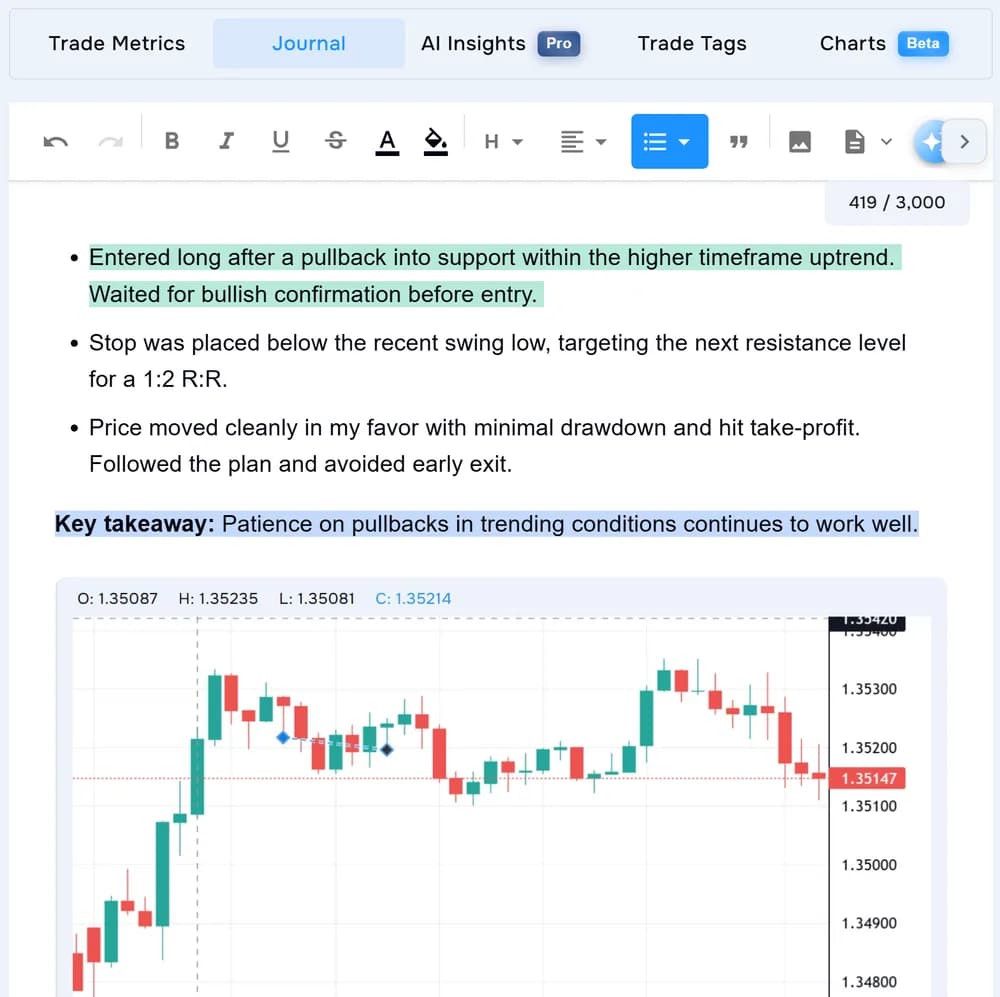
Capture trades, setups, notes, and key decisions quickly. Easily review emotions, discipline, and whether you followed your plan.
Track win rate, P&L, risk, expectancy, and drawdown. Use those metrics to spot repeated behaviours, best setups, and habits that affect results.
Reduce repetitive data entry with imports, dashboards, and built-in calculations so review stays easy to maintain.
A trading journal becomes more useful when it helps traders turn review into action through backtesting, alerts, AI insights, and clear next steps.
Traders should be able to review trades, add notes, and check performance from anywhere, not only when they are at a desktop.
The best trading journal is one traders actually use. It should make reviewing trades simple enough to become a repeatable habit.
TraderWaves is built around these principles: flexible journaling, performance analytics, AI insights, backtesting, alerts, and mobile access in one free-to-start workflow.
TraderWaves gives traders the flexibility of manual systems and the structure of a dedicated trading journal, without forcing them to build every spreadsheet, formula, template, or dashboard themselves.
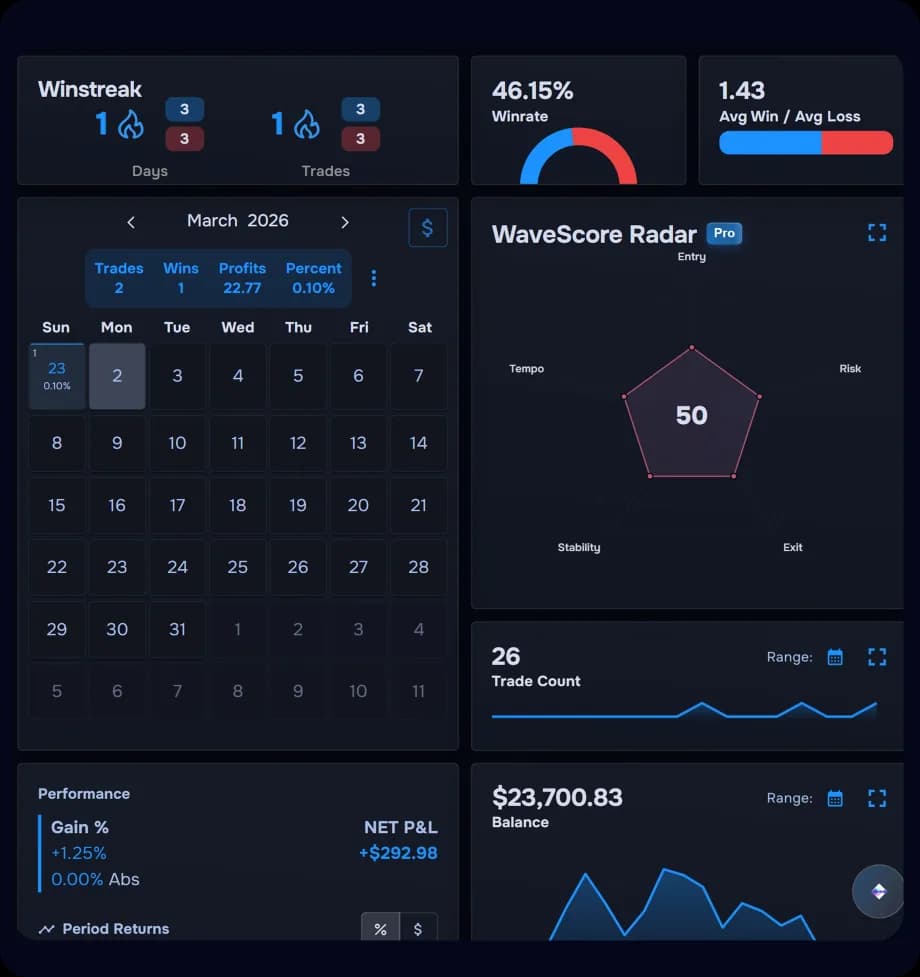
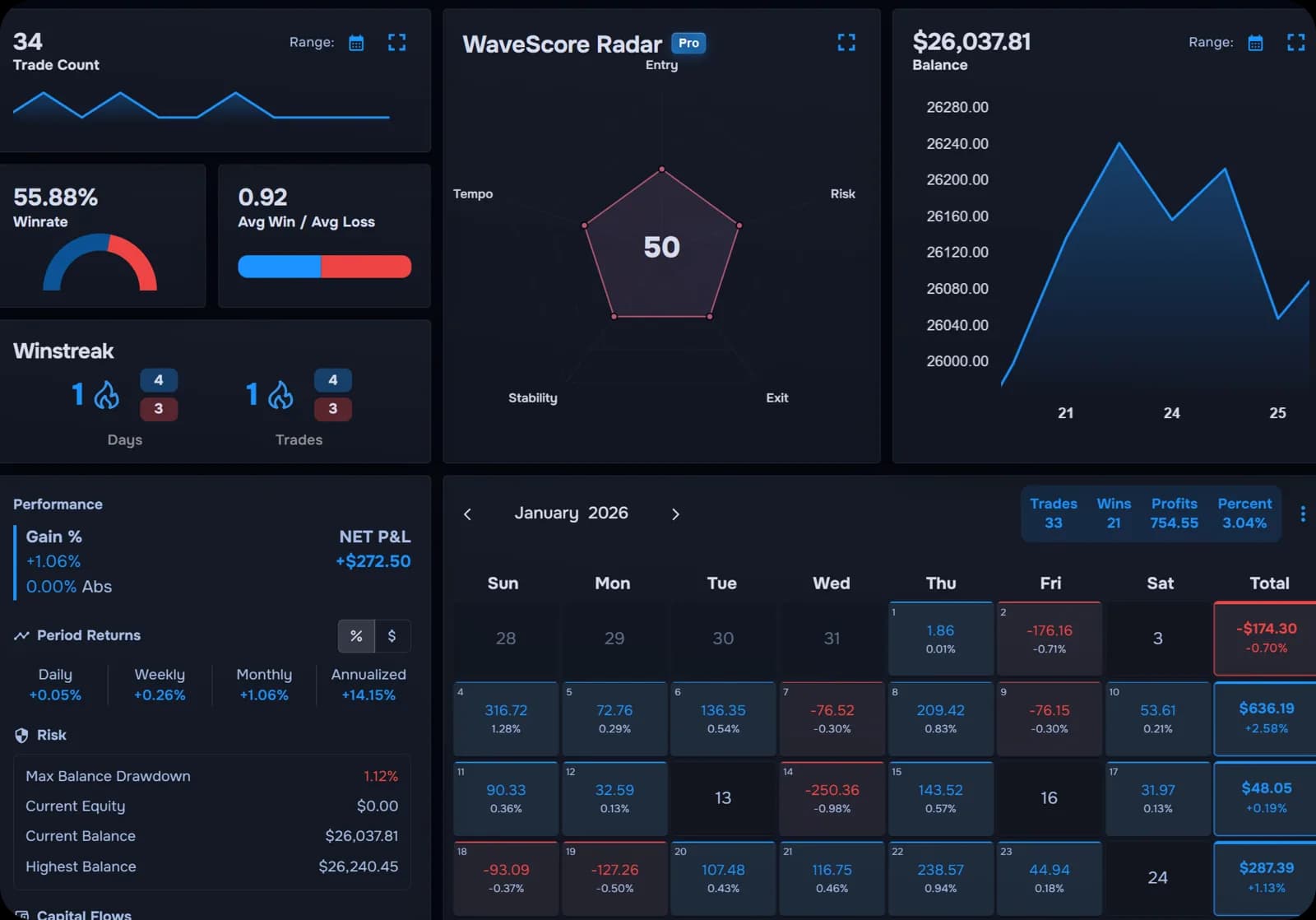
The best trading journal alternative depends on what a trader uses today. Notebooks, Notion, Excel, and Google Sheets can work for manual review, while online trading journals add more structure and reporting. TraderWaves brings both together with flexible journaling, analytics, AI insights, backtesting, alerts, and mobile access in one workflow.
Manual trading journals are flexible, but they often require traders to build the structure, formulas, review process, and dashboards themselves. TraderWaves keeps the reflective side of journaling while giving traders a more guided way to review performance and act on what they find.
Traders should look for a journal that is easy to keep updated, useful during review, and detailed enough to show patterns over time. Notes, screenshots, trade data, risk tracking, and performance breakdowns all help turn a journal from a simple log into a tool for improvement.
Yes. TraderWaves can replace a spreadsheet journal for traders who want to spend less time maintaining formulas and more time reviewing their trading. It gives traders a structured workflow for logging, analysing, and improving without having to build everything from scratch.
Start with TraderWaves for free and get a trading journal with analytics, AI insights, backtesting, alerts, and mobile access.