NewPro plan is now live — unlock advanced trading analytics today

TraderWaves

Ready to Move Beyond a Manual Trading Journal?

A notebook, Google Doc, Word file or notes app can help you reflect in your own way, but every trade, calculation and comparison still depends on you. TraderWaves keeps the reflective side of journaling while connecting your notes to imported trade data, analytics and the tools you use to improve.

Keep the reflection. Lose the repetitive data work.

Trusted by 50k+ traders worldwide
4.8Community feedback

Short on time?

Trade actively? Waves beat paper

Manual journals are simple, personal and often free. A notebook can give you time away from the screen, while documents and notes apps offer familiar free-form space. However, as hundreds of trades accumulate, manual entry becomes a chore, information stays scattered and valuable patterns are easy to miss. TraderWaves automatically imports and organises your trades, helping you uncover insights across your entire trading history. With connected tools in one place and a free, customisable way to get started, TraderWaves is a no-brainer for active traders.

Choose TraderWaves if you want to:

  • Connect your reflections to real trade data, not memory alone
  • Spend less time manually recording trades and calculating results
  • Compare performance across setups, sessions and time periods
  • Spot patterns and trends through clear visual dashboards
  • Customise your journal around the way you trade and review
  • Backtest your ideas and create alerts that a manual journal cannot offer
  • Keep your journal, analytics and improvement tools connected in one place

Choose a manual journal if:

  • You value handwriting or free-form notes in your own format
  • You want complete offline use, especially with a physical notebook
  • You trade infrequently and only need a simple log
  • You prefer an unrestricted blank page or document with no structure

Quick Comparison

TraderWaves vs Manual Journal

Starting cost

TraderWaves
Free plan
Manual Journal
Free or very low cost

Built specifically for trading

TraderWaves
Yes
Manual Journal
No

Automatic trade imports

TraderWaves
Yes, all plans
Manual Journal
No

Manual trade entry

TraderWaves
Yes
Manual Journal
Yes

Trade notes and reflections

TraderWaves
Yes
Manual Journal
Yes

Automatic performance calculations

TraderWaves
Yes
Manual Journal
No

Built-in Charts and customisable dashboards

TraderWaves
Yes
Manual Journal
No

Strategy backtesting

TraderWaves
Unlimited on Pro
Manual Journal
No

Connected trading tools

TraderWaves
Yes
Manual Journal
No

Best for

TraderWaves
Active traders who want their reflections connected to data, analytics and improvement tools
Manual Journal
Traders who prefer handwriting, free-form notes, offline access or infrequent logging

* Comparison reflects typical manual journaling workflows across notebooks, documents and notes apps. Individual habits and formats vary.

Less recording. More reviewing.

100 trades. One import.

Whether you use a notebook, document or notes app, manual journaling means entering every trade yourself. TraderWaves imports your trade history in seconds, so you can spend your time reviewing your performance, not copying numbers.

Manual Journal

100 trades entered manually, one entry at a time. The same burden applies whether you write in a notebook, document or notes app.

TraderWaves

One simple import

100 trades imported together

Trade details are imported and organised alongside your notes, tags and screenshots.

TraderWaves workflow

Keep the reflection. Lose the manual upkeep.

A manual trading journal captures what you choose to write, whether in a notebook, document or notes app. TraderWaves connects those reflections to imported trade data, analytics and improvement tools you can actually filter and compare.

Some traders keep a notebook or notes app for longer personal writing and use TraderWaves for trade data, structured review and performance analysis.

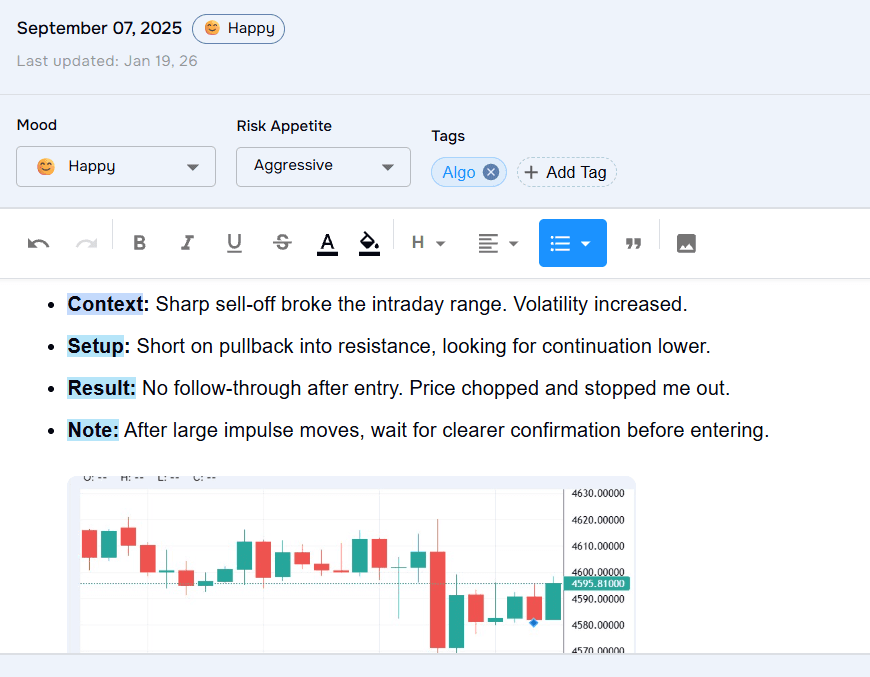
Preserve Reflection With Trade Notes and Tags

Add notes, screenshots, setup tags, emotions and ratings alongside each trade, keeping the reflective side of journaling without losing trade context.

Explore the journal
TraderWaves trade journal with rich notes, setup tags and screenshots for reflective review
Reflection connected to each trade

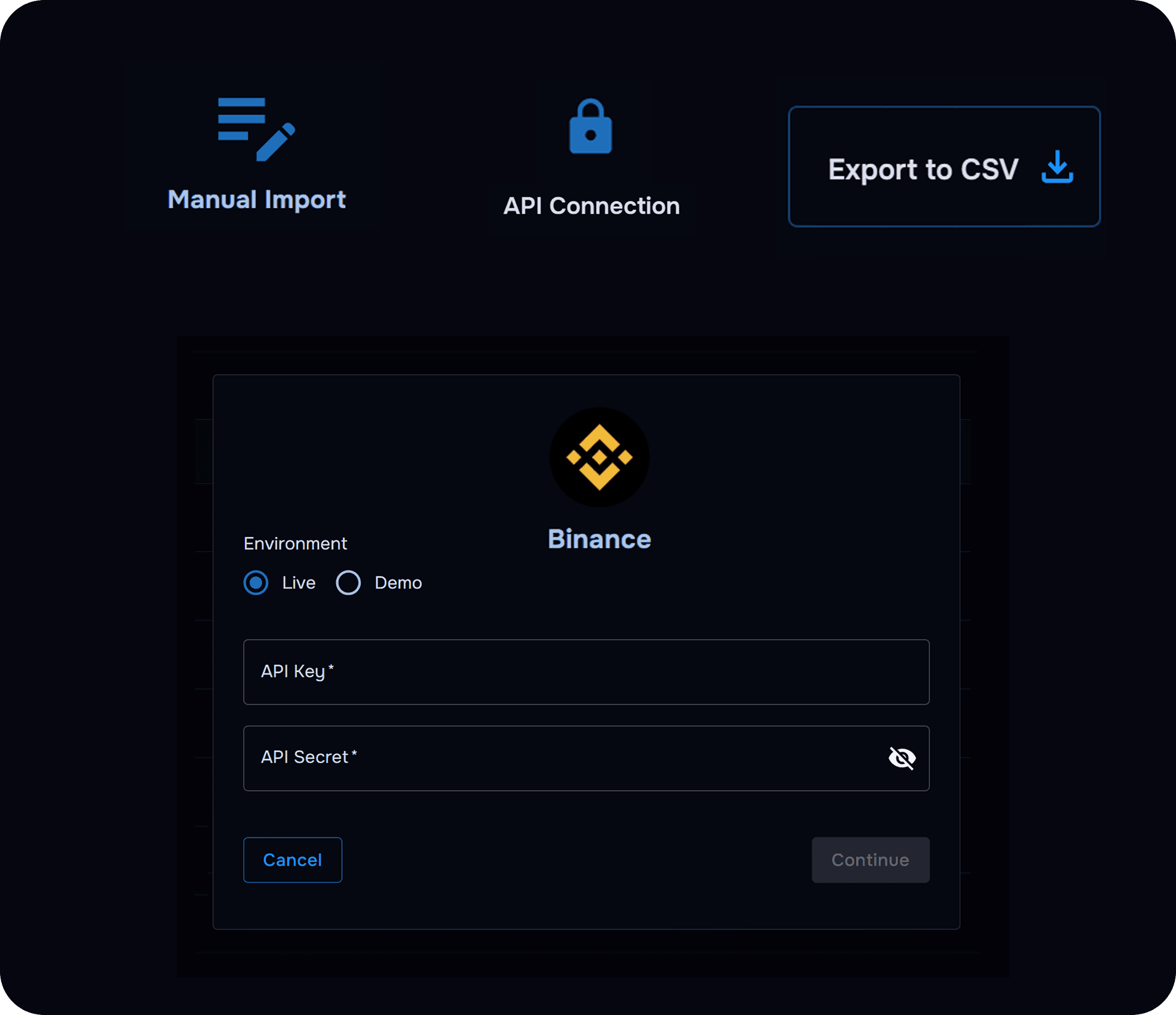
Reduce Repetitive Trade Entry With Supported Imports

Auto broker sync where supported, CSV imports and manual entry on Essential mean less time recording fills and more time reviewing decisions.

View supported brokers
TraderWaves imports connecting broker and CSV trade data to a journal
Less manual entry across every format

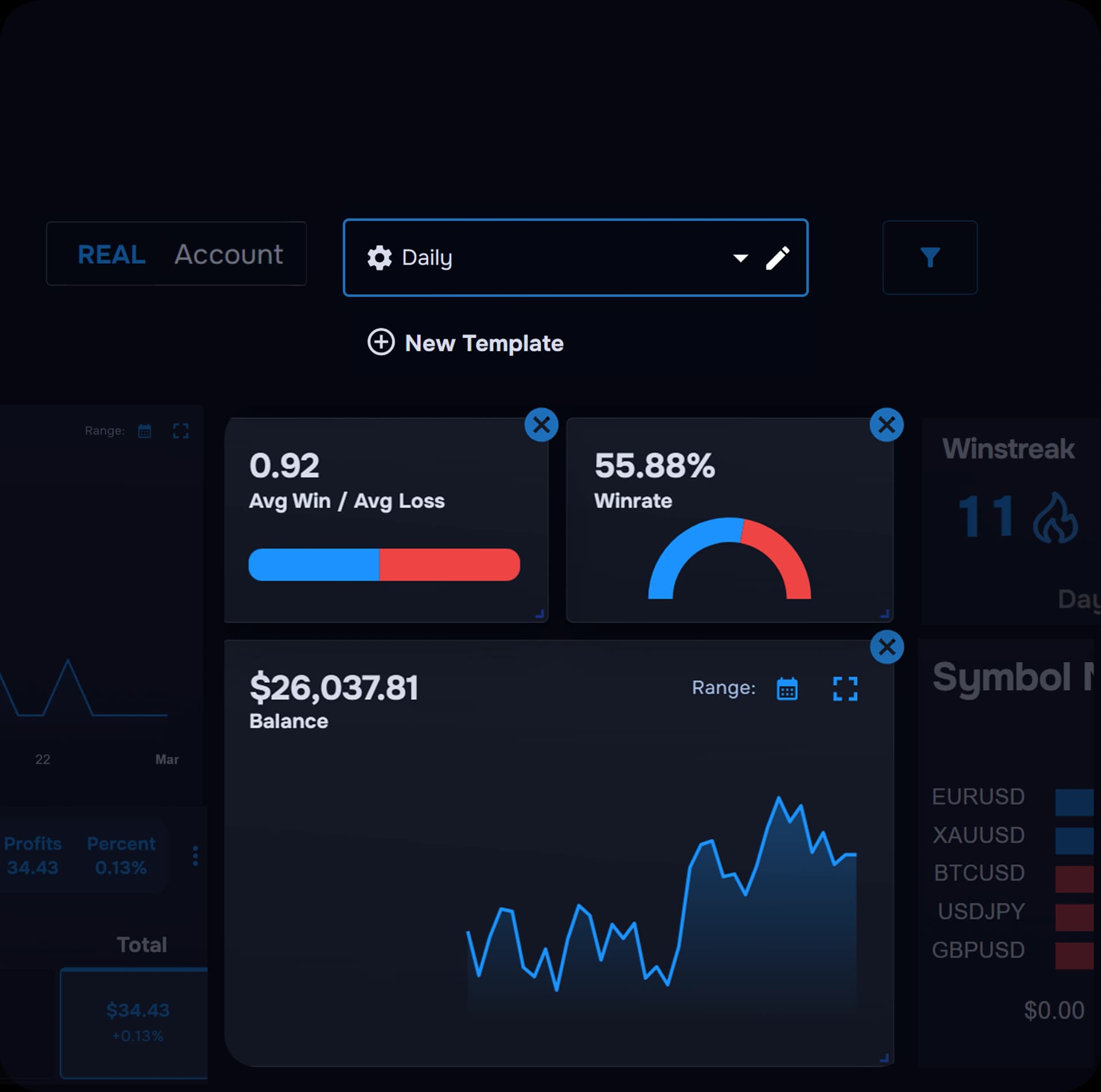
Connect Qualitative Notes With Quantitative Analytics

See performance metrics alongside the notes you write, so reflection and results stay in one review workflow.

See analytics
TraderWaves analytics dashboard showing performance metrics alongside journal data
Notes and numbers in one place

Find Patterns Across Setups, Sessions and Symbols

Filter and compare trades by setup tag, symbol, session or custom fields. This is practical across hundreds of trades, not just scrolling through pages, files or notes.

Explore analytics
TraderWaves filters for comparing trading performance across setups and sessions
Pattern review beyond page-by-page reading

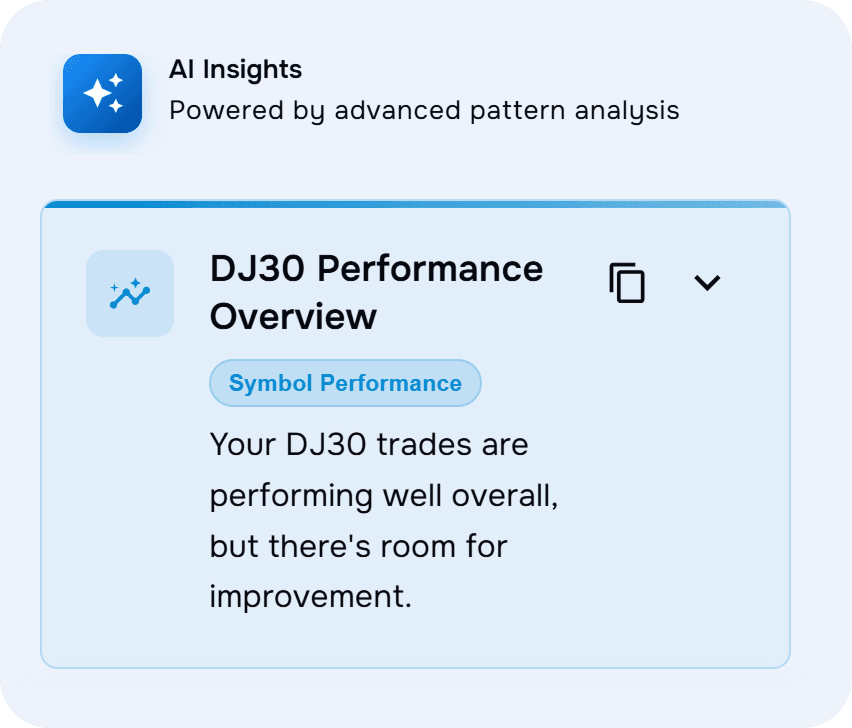
WaveAI for Evidence-Led Questions About Your Data

On Pro, ask Wave AI Coach questions grounded in your imported trading history. This is useful when handwritten summaries or scattered notes no longer scale.

Explore AI coaching
TraderWaves Wave AI Coach answering questions about a trader's journal data
Evidence-led review on Pro

Move From Review Into Backtesting, Charts and Alerts

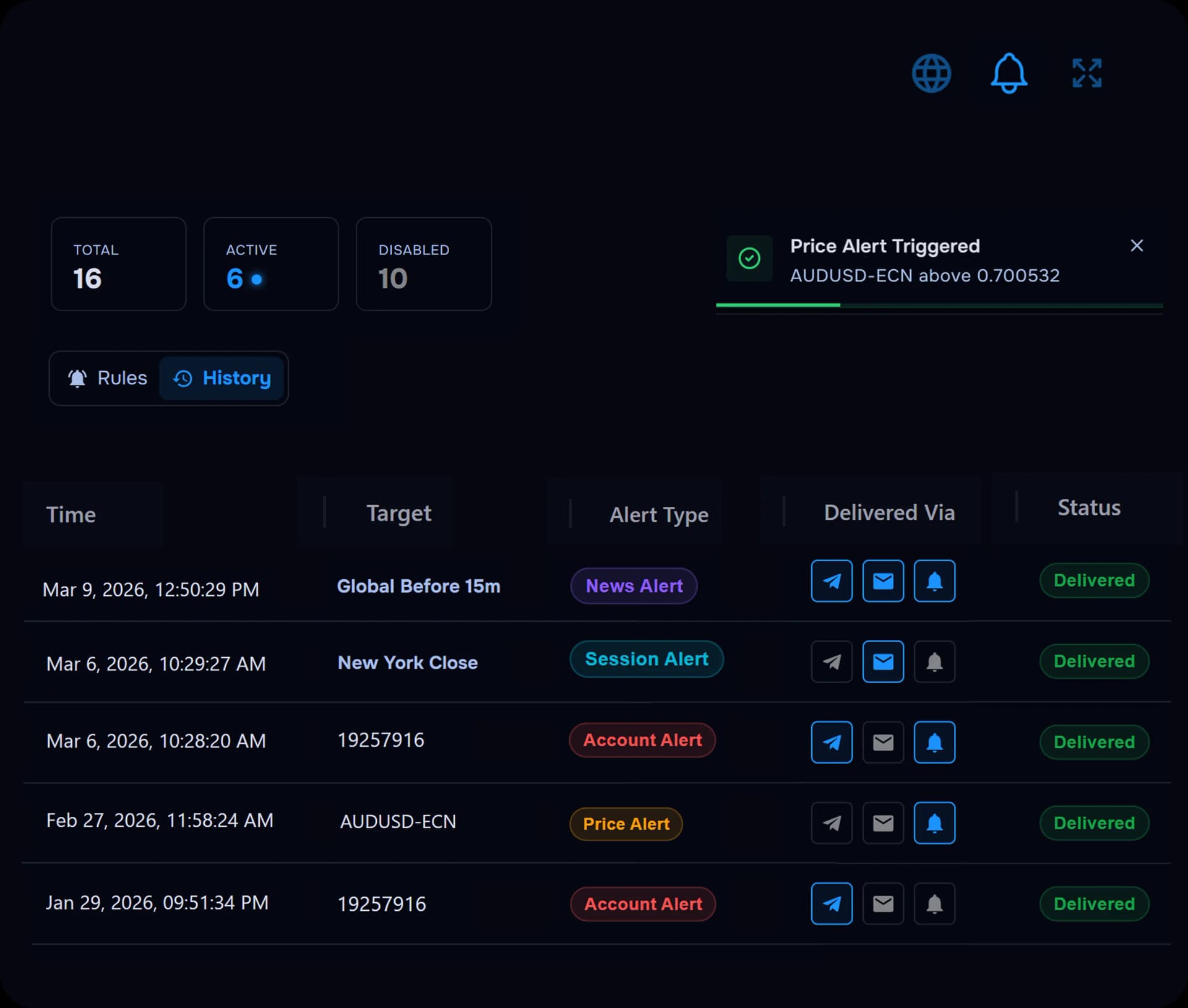
On Pro, test ideas with Strategy Backtesting and use advanced charts and account alerts in the same workspace, without leaving your journal.

Configure alerts
TraderWaves backtesting, charts and alerts connected to journal review
Improvement tools beyond a manual journal

Pricing

Manual Journal vs TraderWaves: Both Can Start Free

Manual journals are generally free or inexpensive and highly customisable, whether you use a notebook, document or notes app. TraderWaves matches that with a free Essential plan and customisable journals, then adds automatic trade imports, performance analytics and connected trading tools. Pro adds AI review, unlimited backtesting, equity analytics and advanced alerts.

Recommended

Purpose-built trading journal

TraderWaves

Essential

Free forever

Not a trial · No credit card required

  • Purpose-built trade journal
  • Connect up to 3 trading accounts
  • Auto Broker Import & CSV Import
  • Customisable analytics dashboard
  • Journal notes, screenshots and setup tags
  • PnL calendar and charts
Start Free: No Credit Card

Pro

$29.99/month

or $19.99/mo billed annually ($239.88/year)

  • Unlimited connected accounts
  • Wave AI coaching
  • Unlimited backtesting
  • Equity & drawdown analytics
  • Advanced charts with price alerts
  • Account alerts included with Pro
Explore Pro

Manual journaling

Manual Journal

Notebook, document or notes app

Free or low cost

  • Free or inexpensive to start
  • Highly customisable format
  • Notebook offers complete offline use
  • Some documents and notes apps support offline access
  • Basic text search in digital formats
  • Trades entered and organised manually
  • Performance metrics require manual calculation
  • Hard to filter and compare trades at scale

* TraderWaves plan features are described on the pricing page and may change over time.

Manual trading journal alternative

Why traders switch to TraderWaves

The main appeal of a manual journal is that it is generally free or inexpensive and highly customisable, whether you use a notebook, Google Doc, Word file or notes app. TraderWaves offers those same advantages through its free Essential plan and customisable journals, while also providing automatic trade imports, performance analytics and connected trading tools.

Preserve reflection in your journal

Add rich notes, screenshots, setup tags, emotions and ratings to trades: the reflective detail manual journals capture, connected to actual trade records.

Explore the journal

Reduce repetitive trade entry

Supported auto broker sync and CSV imports on Essential bring trade data in with less manual recording than typing every fill into a notebook, document or notes app.

View supported brokers

Review trades on integrated charts

Study price action, entries and exits beside your logged trades instead of trying to reconstruct the chart from handwritten notes or scattered documents.

Explore charts

Find patterns across setups and sessions

Filter and compare performance by setup tag, symbol, session or time period, which is difficult to do consistently across pages, files or notes.

Explore analytics

WaveAI for evidence-led questions

On Pro, ask Wave AI Coach questions grounded in your own imported data instead of guessing from handwritten summaries or unstructured notes.

Explore AI coaching

Move from review into backtesting and alerts

On Pro, test ideas with Strategy Backtesting and stay aware with account alerts, connected to the same journal rather than a separate file or notebook section.

Try backtesting

Start free with a connected trading journal

Keep reflective journaling while connecting your notes to trade data, analytics and improvement tools.

Start Free: No Credit Card

Frequently Asked Questions

Common questions about manual trading journals and TraderWaves.

Is a manual trading journal effective?

Yes. It is a good place to start because it is generally free, highly customisable and ideal for building a consistent review habit, whether you use a notebook, Google Doc, Word file or notes app. As your trading history grows, however, searching old trades, comparing setups, calculating performance and identifying patterns becomes much harder. That is when a dedicated trading journal like TraderWaves comes in.

Is a pen-and-paper trading journal effective?

Yes. A physical notebook remains one of the most popular manual formats because it is free, completely customisable and encourages deliberate reflection away from the screen. The same scaling limits apply as your history grows: manual entry, slow review and no built-in analytics. Many notebook traders add TraderWaves when they want imports, structured filtering and performance tools alongside their handwritten notes.

What are the limitations of manual trading journals?

Manual journals only capture what you remember to record, and reviewing a growing trade history quickly becomes slow. Trades must be entered manually, information must be organised yourself and performance metrics usually require manual calculations. Basic text search in a document or notes app is not the same as structured trade filtering. TraderWaves addresses these limitations by connecting your notes to imported trade data, searchable analytics, charts, alerts and backtesting tools.

Is TraderWaves free to start?

Yes. TraderWaves Essential is free and includes a purpose-built journal, auto broker and CSV imports for up to three accounts, and customisable analytics. Pro adds Wave AI Coach, unlimited backtesting, equity analytics and advanced alerts.

What is the best free trading journal?

For traders who want more than a simple log, TraderWaves is a strong free option. Essential is free forever with no credit card required and includes automatic trade imports, a customisable journal, dashboards and connected analytics. A notebook, document or notes app is equally flexible to start, but cannot calculate performance or reveal patterns across a growing trade history.

Can TraderWaves replace a manual trading journal?

For trade data, structured review and performance analysis, yes. For completely offline personal writing, some traders keep a notebook or notes app alongside TraderWaves. Many switch fully when they want imports, analytics and trade-specific filtering without rewriting every trade by hand or across files.

Can I still add personal notes and reflections in TraderWaves?

Yes. Add rich-text notes, screenshots, setup tags, emotions and ratings to trades. The reflective side of journaling remains, connected to imported trade data and analytics rather than isolated on a page or in a separate document.

Is an online trading journal better for spotting patterns?

Yes, especially across a growing trade history. Online trading journals like TraderWaves let you filter and compare imported trades across setups, sessions, symbols and time periods using built-in analytics. Handwriting and free-form notes can support thoughtful reflection, but they are much harder to analyse at scale.

Can I use TraderWaves alongside a notebook or notes app?

Yes. Some traders keep a notebook, Google Doc or notes app for longer personal reflections, pre-market planning or offline notes, and use TraderWaves for trade imports, metrics, filtering and structured review. Both approaches can coexist.

Keep the Reflection. Leave the Manual Upkeep Behind.

Start free with a customisable trading journal that brings your trade data, notes, analytics and improvement tools together.

Start Free: No Credit Card
/alternative/manual-trading-journal