NewPro plan is now live — unlock advanced trading analytics today

TraderWaves

Still Using Excel as Your Trading Journal?

Spreadsheets can offer a free, flexible way to begin journaling, but every calculation, chart, filter and workflow still has to be built and maintained by you. TraderWaves offers the same free starting point and a customisable workflow, with imports, analytics and dedicated trading tools already connected.

Keep the flexibility of a spreadsheet without maintaining formulas, dashboards and endless rows yourself.

Excel wasn't designed for trading, but TraderWaves is.

Trusted by 50k+ traders worldwide
4.8Community feedback

Short on time?

Spreadsheets Are Flexible. TraderWaves Is Built for Trading.

Spreadsheets suit traders who like building their own formulas and reports, but every metric and chart still depends on you. TraderWaves is free to start, customisable, and brings imports, analytics and trading tools together in one workflow.

Choose TraderWaves if:

  • You want a powerful trading journal that's free to get started
  • You want to spend less time entering trades and maintaining formulas
  • You want a customisable dashboard designed specifically for traders
  • You want useful analytics generated automatically from your imported trade data
  • You want your journal, performance insights and trading tools connected in one place
  • You want a streamlined system that remains easy to manage as your trading history grows

Choose Excel or Google Sheets if:

  • You trade very infrequently and only need a simple record of your trades
  • You prefer working directly with formulas, cells and raw data
  • You don't mind entering trades manually and maintaining the spreadsheet yourself

Quick Comparison: TraderWaves vs Excel / Google Sheets

Free starting option

TraderWaves
Generous free Essential plan
Excel / Google Sheets
Free / often included

Built for

TraderWaves
Trading review
Excel / Google Sheets
General spreadsheet work

Auto broker sync

TraderWaves
Included
Excel / Google Sheets
-

CSV import

TraderWaves
Included
Excel / Google Sheets
Included

Customisation

TraderWaves
Included
Excel / Google Sheets
Full formula control

Built-in Performance analytics

TraderWaves
Included
Excel / Google Sheets
-

Trading-specific AI

TraderWaves
Included on Pro
Excel / Google Sheets
-

Strategy Backtesting

TraderWaves
Included on Pro
Excel / Google Sheets
-

Charts and alerts

TraderWaves
Included
Excel / Google Sheets
-

Mobile workflow

TraderWaves
Included
Excel / Google Sheets
Spreadsheet apps

* Features and availability are based on publicly available information at the time of writing. Spreadsheet setups vary by trader.

From Trading Spreadsheet to Connected Trading Workflow

A spreadsheet records the information you enter. As trade volume grows, maintaining rows, formulas and review views takes more time than reviewing what happened. TraderWaves helps turn your trading data into a repeatable review process with less manual upkeep.

Excel / Google Sheets

Manual rows and CSV handling

You enter trades, update columns, reconcile exports, and keep ranges and filters working as your history grows.

TraderWaves

Connected trade imports

Bring trades into your journal with auto broker sync where supported, CSV imports, or manual entry, so review starts from real trade data.

Excel / Google Sheets

Self-maintained formulas and pivot tables

Performance review depends on formulas, charts and pivot tables you build, check and update yourself.

TraderWaves

Built-in trading analytics

Review performance with purpose-built dashboards, filters, calendars and metrics already set up for trading.

Excel / Google Sheets

Separate spreadsheets and external tools

Journal, analytics, charts, alerts and improvement tools often live in different files or apps you connect manually.

TraderWaves

One connected trading workspace

Journal, analytics, AI review, backtesting, charts, alerts and calculators sit in one workflow designed for traders.

Your spreadsheet records the information you enter. TraderWaves helps turn your trading data into a repeatable review process.

TraderWaves workflow

Keep the flexibility. Lose the manual upkeep.

A trading spreadsheet captures what you enter and calculate. TraderWaves connects imports, analytics, review and improvement tools so you spend less time maintaining the system.

Connected Imports Instead of Repetitive Entry

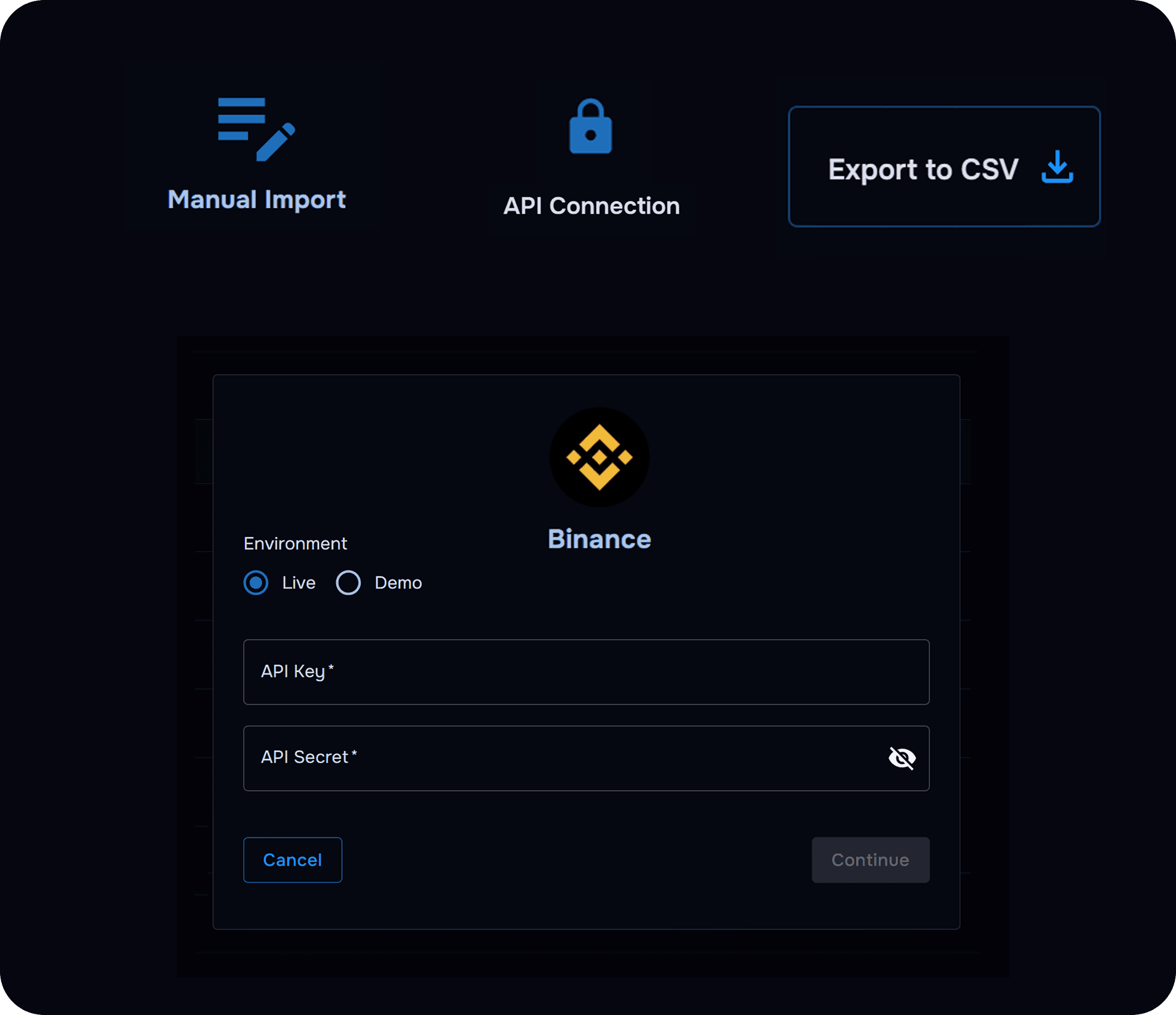
Bring trades into your journal with auto broker sync where supported, CSV imports, or manual entry, so your review workflow starts from real trade data, not copied rows.

View supported brokers
TraderWaves broker and CSV imports bringing trade data into a trading journal
Supported imports reduce repetitive spreadsheet entry

Customisable Analytics Without Formula Upkeep

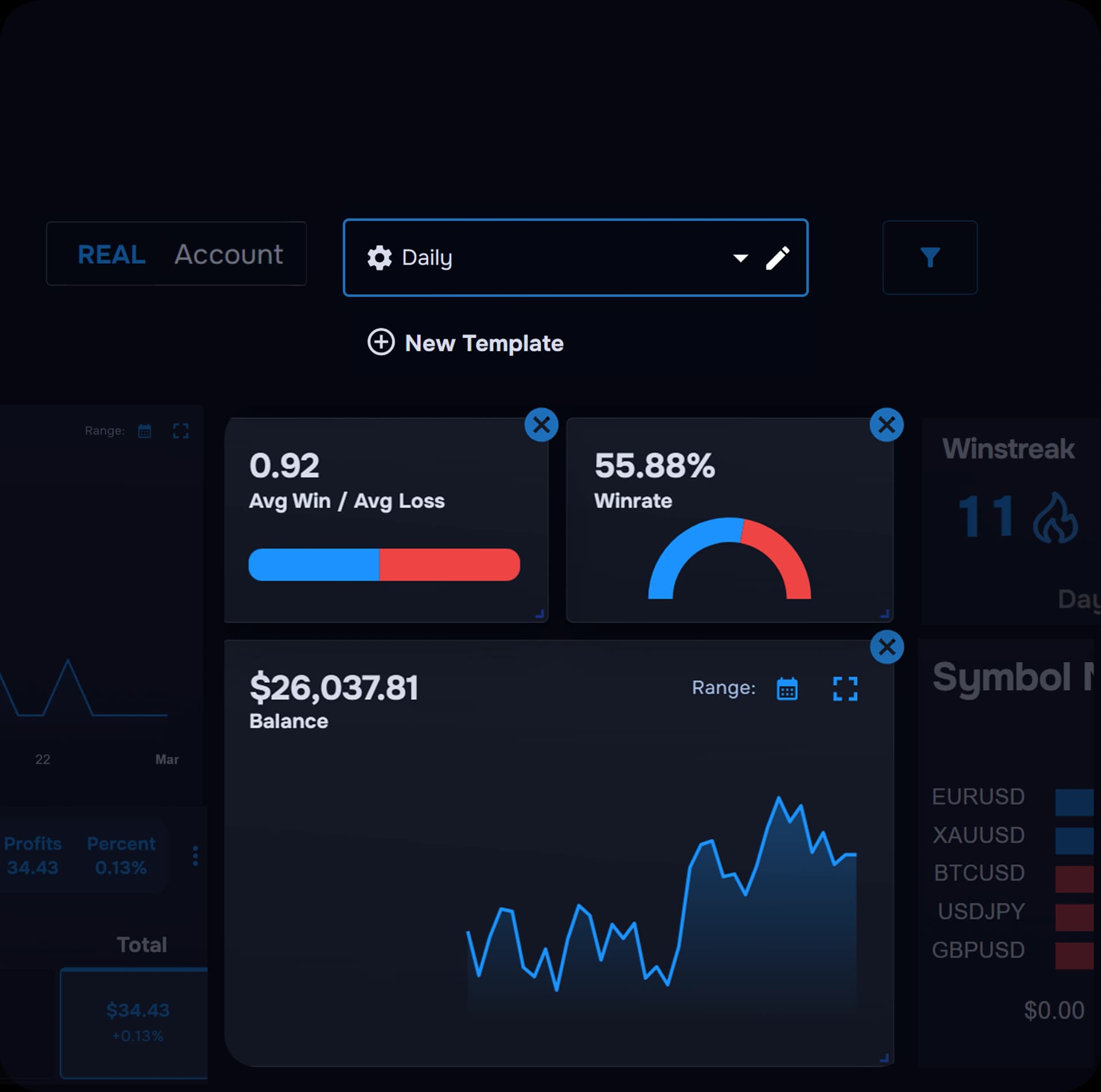
Review performance with built-in dashboards, charts, calendars and filters instead of maintaining spreadsheet formulas, ranges and pivot tables.

See analytics
TraderWaves customisable analytics dashboard for trading performance
Built-in analytics, no formula maintenance

A Journal Designed Around Trades

Add notes, screenshots, setup tags and review context in a journal built for trading, not a general spreadsheet you adapt yourself.

Explore the journal
TraderWaves trade journal with notes, tags and screenshots
Structured journaling beyond spreadsheet rows

WaveAI for Evidence-Led Review

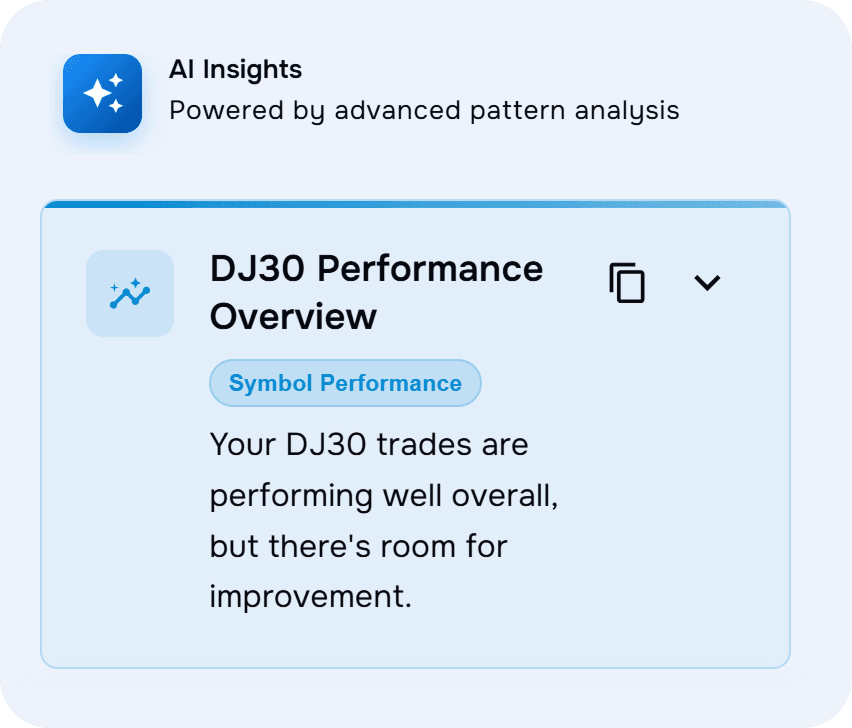
On Pro, use Wave AI Coach to analyse decisions, spot patterns and ask questions grounded in your own imported trading data.

Explore AI coaching
TraderWaves Wave AI Coach reviewing trading performance data
Trading-specific AI on Pro

Strategy Backtesting built-in

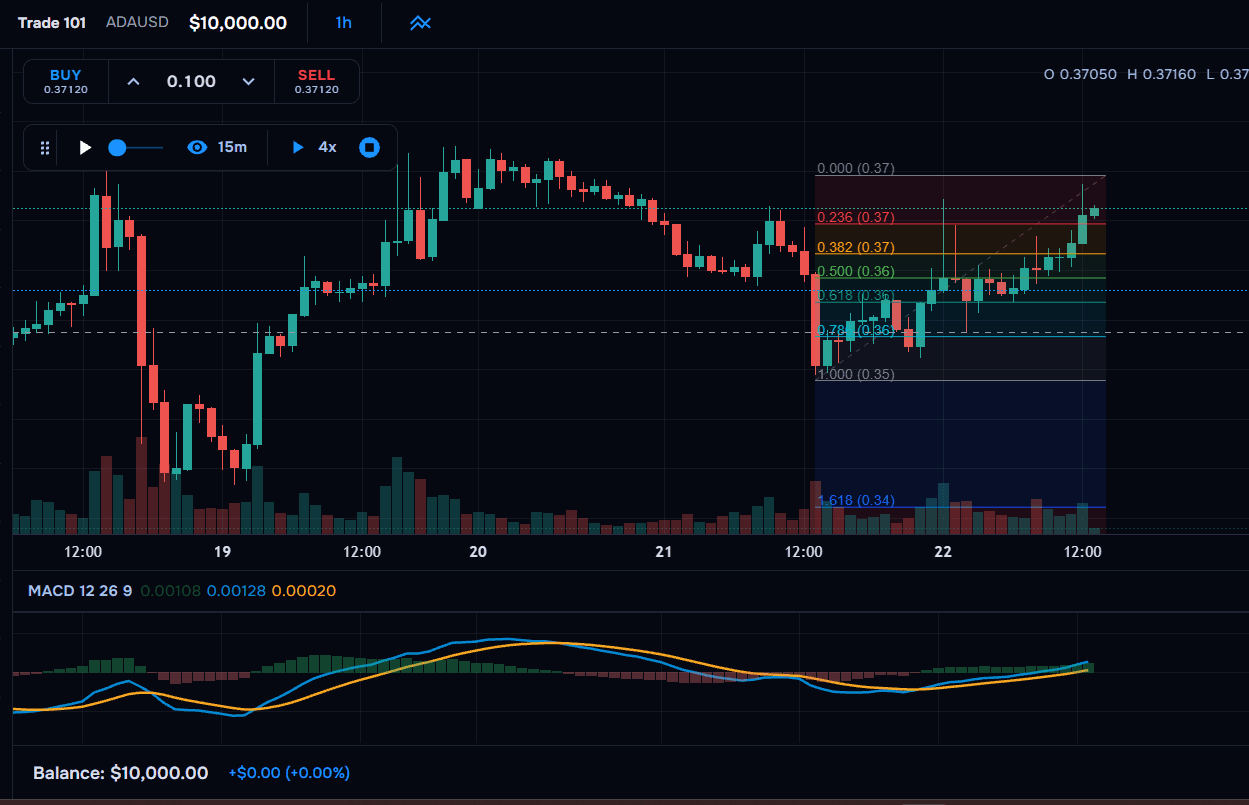
On Pro, test strategy ideas on historical data in a dedicated backtesting workflow, separate from reviewing trades you have already journalled.

Try backtesting
TraderWaves Strategy Backtesting tools for testing ideas on historical data
Backtesting on Pro, not a spreadsheet add-on

Charts, Alerts and Calculators in One Workspace

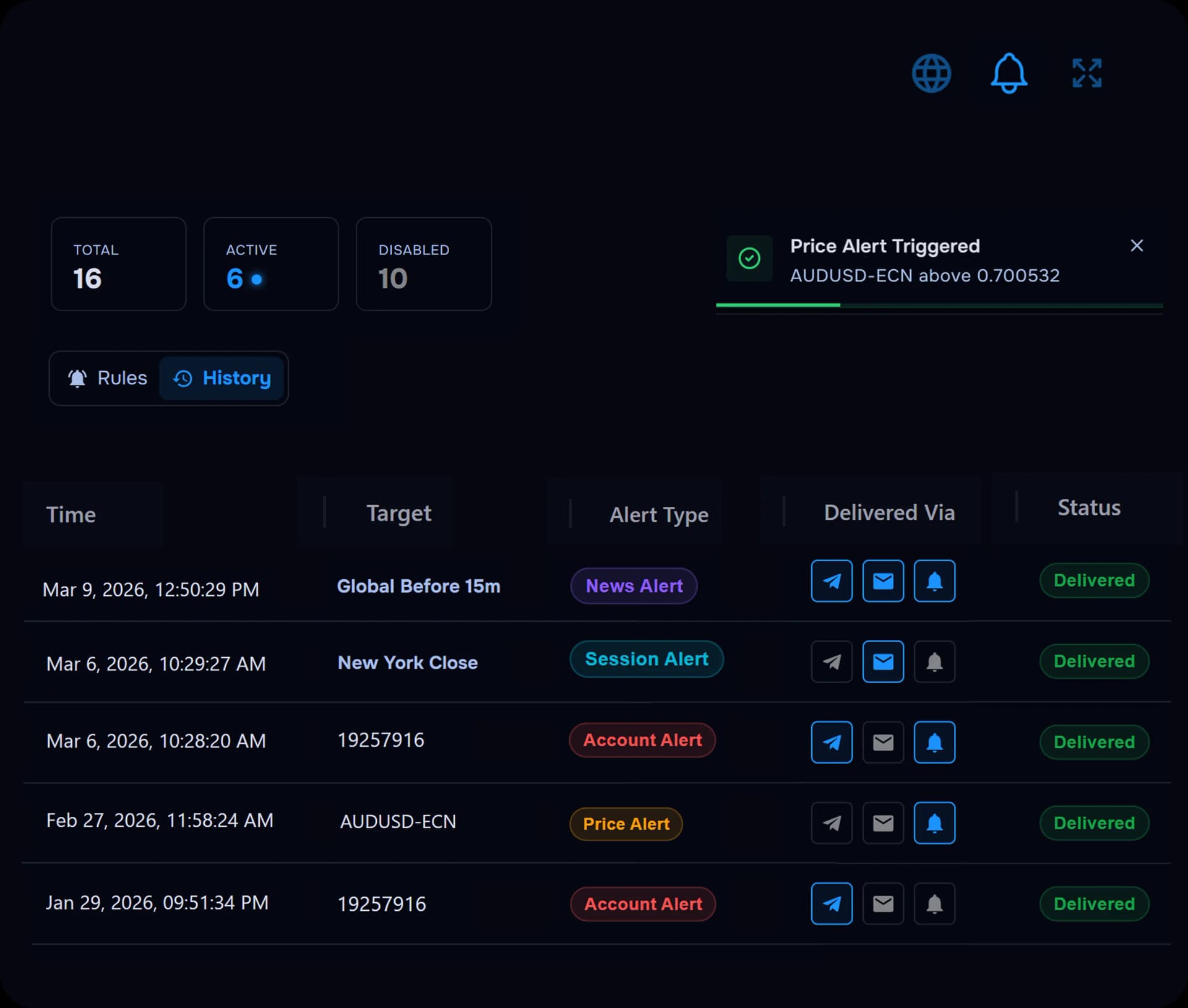
Charts and calculators on Essential; advanced charts, account alerts and connected tools on Pro, without maintaining separate spreadsheet files.

Configure alerts
TraderWaves charts, alerts and trading calculators in one workspace
Connected tools beyond a single spreadsheet

Pricing

Spreadsheets vs TraderWaves: Free Starting Points

Google Sheets is free and Excel may already be available to you, but TraderWaves also provides a free Essential plan without requiring you to build the core journal and analytics workflow yourself. Pro adds AI review, unlimited backtesting, equity analytics and advanced alerts when you need them.

Recommended

Purpose-built trading journal

TraderWaves

Essential

Free

  • Purpose-built trade journal
  • Connect up to 3 trading accounts
  • Auto Broker Import & CSV Import
  • Customisable analytics dashboard
  • Journal notes, screenshots and setup tags
  • PnL calendar and charts
Start Free: No Credit Card

Pro

$29.99/month

or $19.99/mo billed annually ($239.88/year)

  • Unlimited connected accounts
  • Wave AI Coach
  • Unlimited backtesting
  • Equity & drawdown analytics
  • Advanced charts with price alerts
  • Account alerts included with Pro
Explore Pro

Spreadsheet tools

Excel / Google Sheets

Google Sheets

Free

  • Flexible rows and columns
  • Manual trade entry or CSV you manage
  • No native trading-broker connections
  • Analytics must be built with formulas
  • Dashboard and formula upkeep required

Microsoft Excel

$6.99/mo (Microsoft 365)

Often included with an existing Microsoft licence

  • Powerful formulas and pivot tables
  • Manual entry or custom integrations
  • No built-in trading analytics
  • Separate tools for charts, alerts and review
  • Maintenance grows with trade volume

* Spreadsheet product pricing and feature availability may change over time. Check Google and Microsoft for the latest plan details.

Excel trading journal alternative

Why traders move from spreadsheets to TraderWaves

Spreadsheets are a sensible starting point: free, familiar and fully customisable. TraderWaves keeps that flexibility while reducing the setup and maintenance traders often outgrow.

Connected imports instead of repetitive entry

Reduce manual rows and copy-paste with auto broker sync where supported, CSV imports, and manual entry when you need it on Essential and above.

View supported brokers

Customisable analytics without formula upkeep

Review performance with built-in dashboards, charts, calendars and filters instead of maintaining spreadsheet formulas and pivot tables.

See analytics

A journal built around trades

Log trades with notes, screenshots, setup tags and review context in a journal designed for trading, not a general grid of cells.

Explore the journal

WaveAI for evidence-led review

On Pro, use Wave AI Coach to ask questions grounded in your own trading data and spot patterns you might miss in a spreadsheet.

Explore AI coaching

Strategy Backtesting built-in

On Pro, move from reviewing past trades into testing ideas on historical data: a dedicated backtesting workflow, not a spreadsheet simulation.

Try backtesting

Charts, alerts and calculators connected

Charts on Essential; advanced charts, account alerts and trading calculators in the same workspace on Pro, without linking separate files.

Configure alerts

Start free with a purpose-built trading journal

Keep the flexibility of a custom workflow without maintaining spreadsheet formulas and dashboards yourself.

Start Free: No Credit Card

Frequently Asked Questions

Common questions traders ask when comparing spreadsheet journals with TraderWaves.

Can Excel or Google Sheets be used as a trading journal?

Yes. Both are free, flexible starting points for logging trades, creating custom columns and calculating basic statistics. However, formulas, dashboards and ongoing maintenance must be managed manually.

What is the best free alternative to an Excel trading journal?

TraderWaves is a strong free alternative for traders who want less spreadsheet upkeep. Essential includes automatic broker and CSV imports for up to three accounts, a purpose-built journal, customisable dashboards and connected analytics.

Is TraderWaves customisable like Excel or Google Sheets?

Yes. You can customise journals, tags, dashboards and review fields. The difference is that the core trading structure and analytics are already built, so you customise the workflow instead of constructing it from cells.

Does Google Sheets automatically connect to trading brokers?

Not natively. Custom integrations are possible but require technical setup and ongoing maintenance. Dedicated trading journals like TraderWaves are built for this, offering automatic broker sync where supported, alongside CSV imports and manual entry.

Can I move my spreadsheet trading journal to TraderWaves?

Yes. Export your Excel or Google Sheets trade history as a CSV and upload it using a supported import. You can then add notes, tags and analytics within a journal built specifically for trading.

Ready to Move Beyond Spreadsheets?

Keep the customisation. Lose the formula upkeep. Start with a trading journal built to import, analyse and review your trades in one place.

Start Free: No Credit Card
/alternative/excel-google-sheets-trading-journal
Excel & Sheets Trading Journal Alternative | TraderWaves