




NewPro plan is now live — unlock advanced trading analytics today

DIY trade journal

The smarter alternative to manual trading journals

Notebooks, Notion templates, and spreadsheets give traders flexibility, but they also leave you doing everything yourself. TraderWaves gives you the same freedom to reflect and customise, with analytics, AI insights, backtesting, alerts, and mobile access built in.

Options at a glance

Common manual journal traders compare

Ranked from the most complete trading workflow to the simplest manual starting points.

TraderWaves logo
#1Best purpose-built workflow

TraderWaves

Built for traders who want flexible journaling without building and maintaining spreadsheets, templates, or manual dashboards themselves.

Explore TraderWaves
Notion logo
#2Best flexible template workspace

Notion

Flexible and customisable for trading plans, checklists, and written reviews — but still manual and limited for analytics.

View Notion comparison
Google Sheets logo
#3Comparison coming soon

Excel / Google Sheets

Powerful and familiar for custom tables and calculations, but time-consuming to maintain as trade volume grows.

Full comparison coming soon

#4Comparison coming soon

Notebook & pen

Simple, free, and personal for reflection and building the review habit — but difficult to analyse performance over time.

Full comparison coming soon

Why traders start with a manual trading journal

Not every trader starts with dedicated trading journal software. Many begin with a notebook, a Notion template, or an Excel spreadsheet because these options are free, flexible, and easy to customize. The challenge appears later: as trade volume grows, manual systems become harder to maintain and less effective for spotting repeatable performance patterns.

Overview comparison

TraderWaves vs Notion vs Excel vs Notebook

FeatureTraderWavesNotionExcelComing soonNotebookComing soon
Free to start
Yes
Yes
Coming soon
Coming soon
Customisable workflow
Yes
Yes
Trade notes
Yes
Yes
Trading plan
Yes
Yes
Manual reflection
Yes
Yes
Trade importing
Yes
No
Performance analytics
Yes
Limited
Equity curve
Yes
No
AI
Wave AI Coach
Writing AI only
Backtesting
Yes
No
Trading alerts
Yes
No
Mobile access
Yes
Yes
Scales with trade volume
Yes
Limited

Detailed breakdown

Which option fits your trading workflow?

Notebook / Pen & Paper Trading Journal

A notebook is the simplest way to start journaling trades. It works well for reflection, customisation, and building the habit of reviewing your trade decisions.

Pros

  • Free
  • No setup required
  • Flexible
  • Customisable
  • Easy to start immediately

Limitations

  • No analytics
  • No charts
  • No Auto-trade import
  • Hard to spot performance patterns
  • Difficult to review hundreds of trades
  • Difficult to scale

Best for: Beginner traders, low-frequency traders, and traders who prefer to physically write their trades.
Notion Trading Journal

Notion gives traders more structure than a notebook while keeping flexibility. It works well for trading plans, checklists, templates, screenshots, and written reviews.

Pros

  • Free to start
  • Flexible workspace
  • Good for templates
  • Good for trading plans
  • Mobile-friendly
  • Easy to customize

Limitations

  • Manual trade entry/import
  • No built-in analytics
  • Not all templates are free
  • No backtesting
  • No trading alerts
  • Can become messy as trade volume grows

Best for: Traders who want a custom note-taking system rather than a full trading analytics platform.

Excel Trading Journal

Excel is one of the most popular DIY trading journal options because it gives traders formulas, tables, and custom calculations.

Pros

  • Flexible
  • Familiar
  • Good for custom formulas
  • Can track basic stats
  • Free or low-cost depending on setup

Limitations

  • Manual data entry
  • Formula errors
  • Time-consuming to maintain
  • Dashboards must be built manually
  • Harder to scale
  • No AI insights or built-in backtesting workflow

Best for: Traders who enjoy building their own tracking systems and prefer data & tables over custom built analytics.

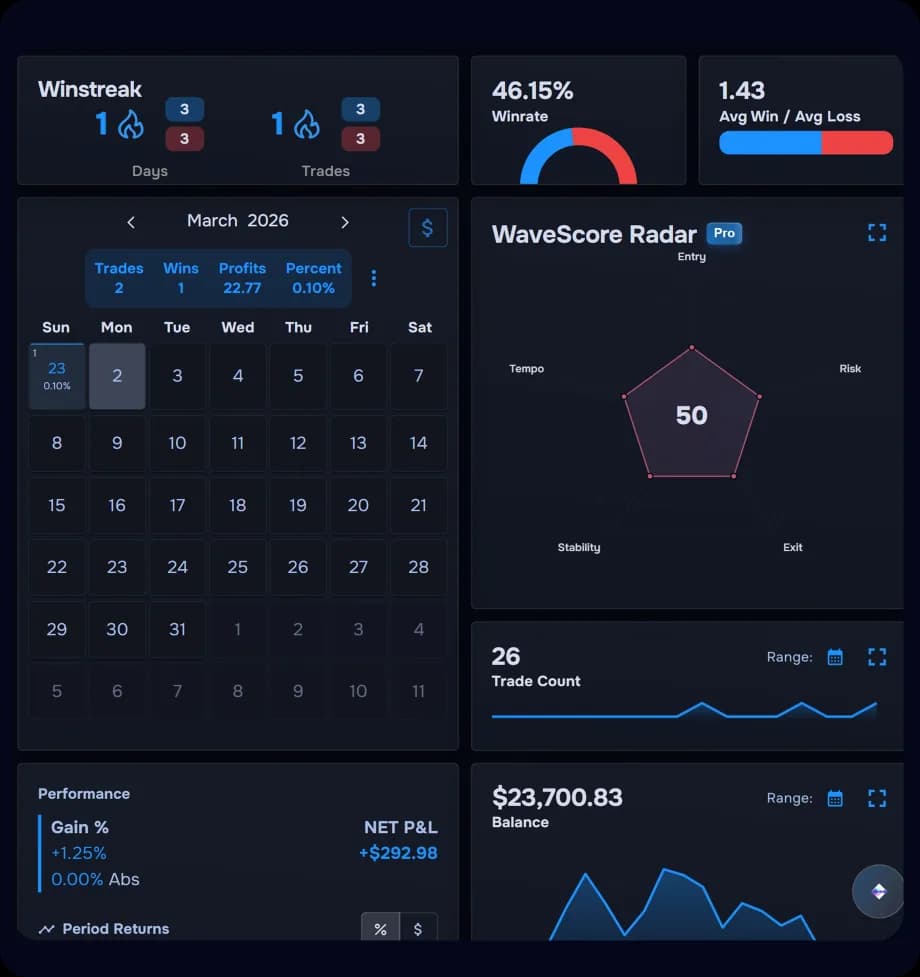
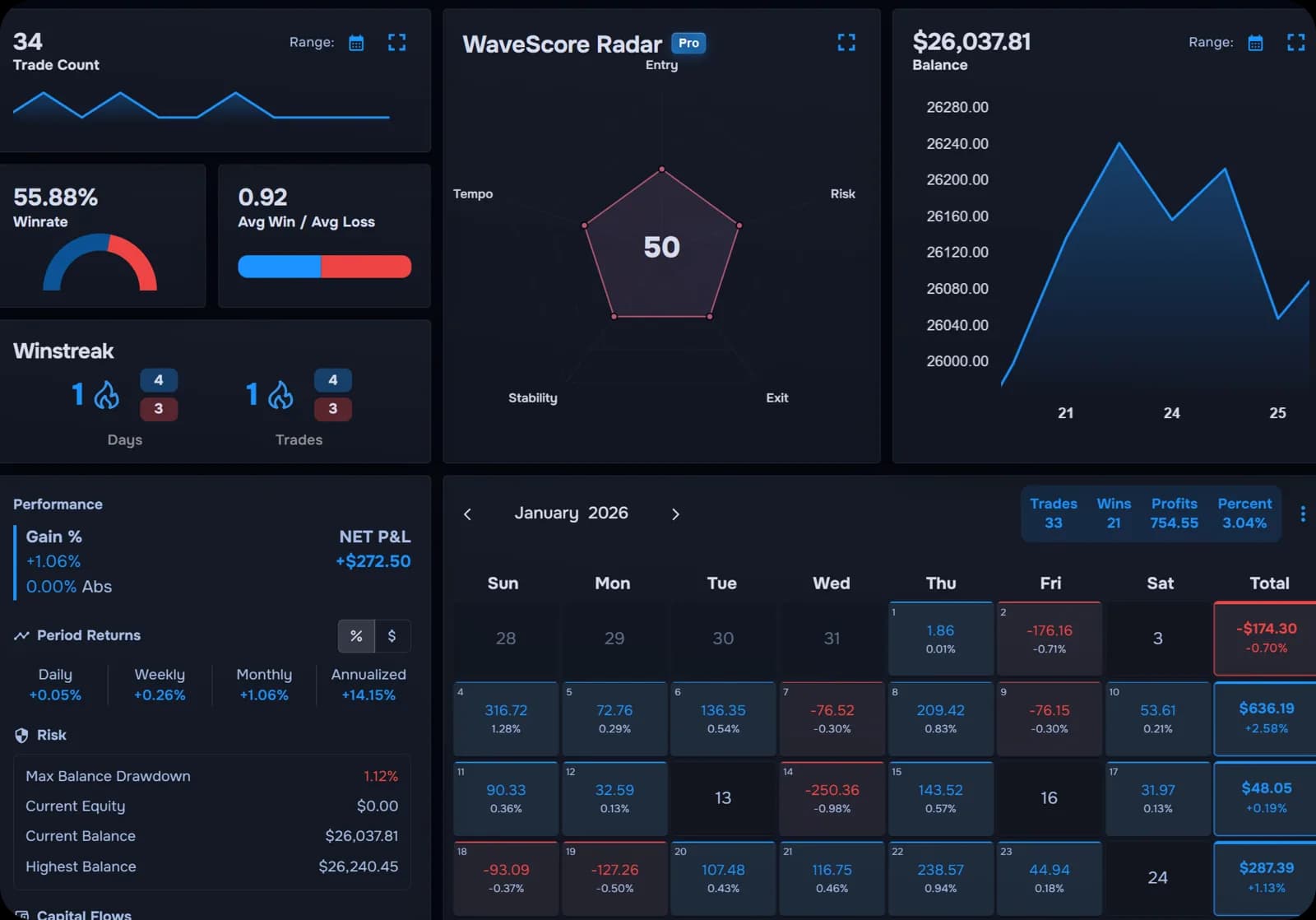
TraderWaves

TraderWaves is for traders who like the flexibility of manual systems but do not want to build and maintain everything themselves.

Pros

  • Free to start
  • Built specifically for traders
  • Trade journal
  • Analytics dashboard
  • AI trade insights
  • Backtesting
  • Alerts
  • Mobile access
  • Scales better as trade volume grows

Limitations

  • Paid pro features
  • No custom spreadsheet formulas
  • No handwritten journal feel
  • Built for trading only

Best for: Traders who want the pros of manual systems — flexibility, control, and reflection — plus dedicated trading tools.

Why do all the work yourself?

Manual journals like notebooks, Notion, and Excel are popular because they are free, flexible, and customisable. As your trade history grows, they can become harder to maintain, easier to break, and less useful for spotting patterns. TraderWaves gives you the middle ground: flexible journaling without the manual upkeep, in a purpose-built workspace that can scale as you improve.

  • Flexible like a spreadsheet
  • Reflective like a notebook
  • Organized like Notion
  • Automated like a purpose-built platform
TraderWaves trading journal and analytics dashboard

Frequently Asked Questions

What is the best trading journal alternative?

The best option depends on how you currently review trades. If you want the freedom of a manual journal without building the whole system yourself, TraderWaves gives you a purpose-built place to log, review, and improve your trading.

Is a notebook good enough for trade journaling?

Yes, a notebook can be a useful starting point for reflection, psychology notes, and building a review habit. However, once you want to search old trades, compare setups, track performance, or spot patterns over time, a dedicated platform like TraderWaves becomes much easier to use.

Is Notion good for a trading journal?

Yes, Notion can work well for trading plans, checklists, written reviews, and custom templates. However, it is not purpose-built for trade analysis, so TraderWaves gives you a more complete trading workflow when you want deeper performance review without maintaining everything manually.

Can Excel be used as a trading journal?

Yes, Excel can be used as a trading journal. However, it is not purpose-built for trade review, so TraderWaves gives you a more complete, trading-focused workflow without making you build everything yourself.

Why use TraderWaves instead of a free manual journal?

Manual journals are flexible, but they leave you responsible for structure, calculations, organisation, and upkeep. TraderWaves keeps the freedom to review your way while giving you a trading-focused workspace that is easier to maintain as your trade history grows.

Is TraderWaves free?

Yes. TraderWaves has a free plan so you can start journaling and reviewing your trades without paying upfront. Pro tools are available for traders who want more advanced workflows as they grow.

Ready to stop building your journal from scratch?

Start free with a purpose-built trading journal that gives you the flexibility to review your way, without the manual upkeep.

DIY Trade Journal Comparison | Notebook vs Notion vs Excel vs TraderWaves